Secondhand Listing Card Maker for Used Items
Turn the facts about your pre-loved item into a share-ready secondhand listing card. Name, price, original price, flaws and handover terms stay exactly as you wrote them — nothing invented, nothing hidden.
Create a Listing Card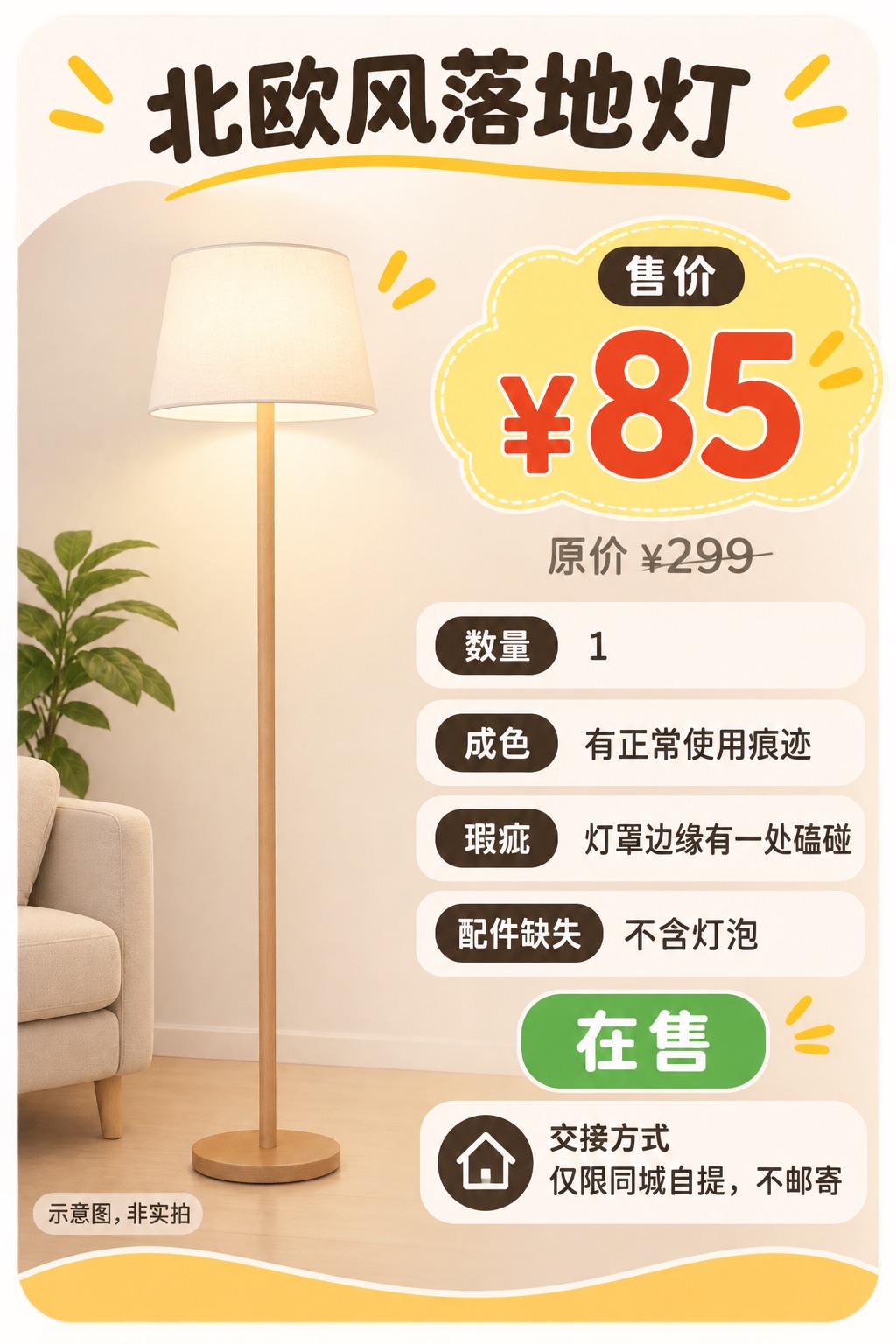
Sample card made with this tool from example data.
Chat to Create Your Secondhand Listing Card
Describe what you are selling in your own words and add photos if you have them. The assistant pulls out the facts and only asks for what is missing.
Hi! Tell me what you are selling: the item, your price, and anything a buyer should know. You can attach photos too.
Try an example
How it works
How the Secondhand Listing Card Maker Works
Four steps from a quick message to a used item card you can post.
Describe it in a message
Write what you are selling the way you would tell a friend, with the price and anything a buyer should know.
Add photos if you have them
Attach up to three images and say whether they are your own photos. No photo? You get a clearly labeled illustration.
Check what was understood
The details panel shows exactly what will go on the secondhand listing card. Correct anything by replying in the chat.
Generate and download
The card is generated, checked for text, price and format errors, regenerated if needed, and handed to you as a file.
Examples
See the Secondhand Listing Card Maker in Action
These cards were generated by this tool from example data. The items are not for sale.
Single item with flaws
Sale price leads, the original price is labeled and struck through, and the flaw and missing bulb are stated in full.
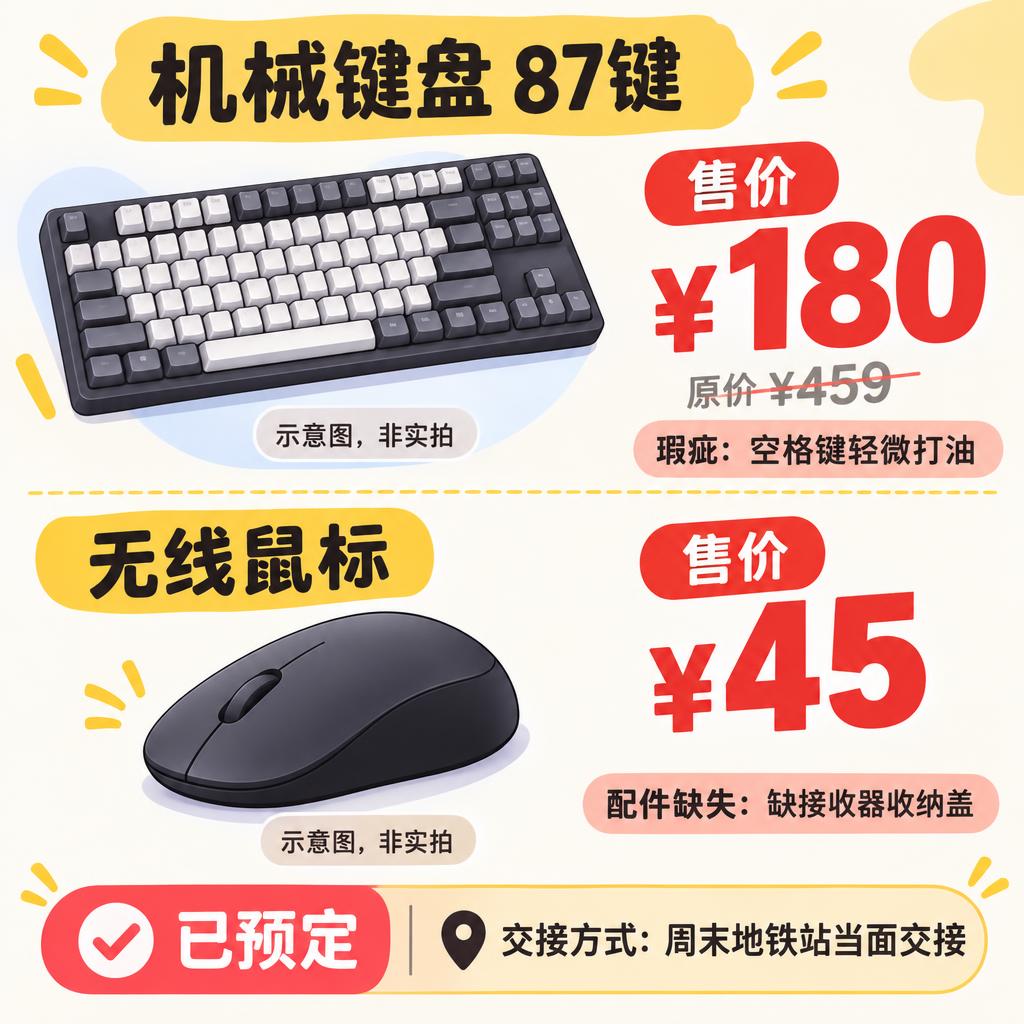
Two items, one card
Each item keeps its own price, flaw and missing part. The reserved status is impossible to miss.
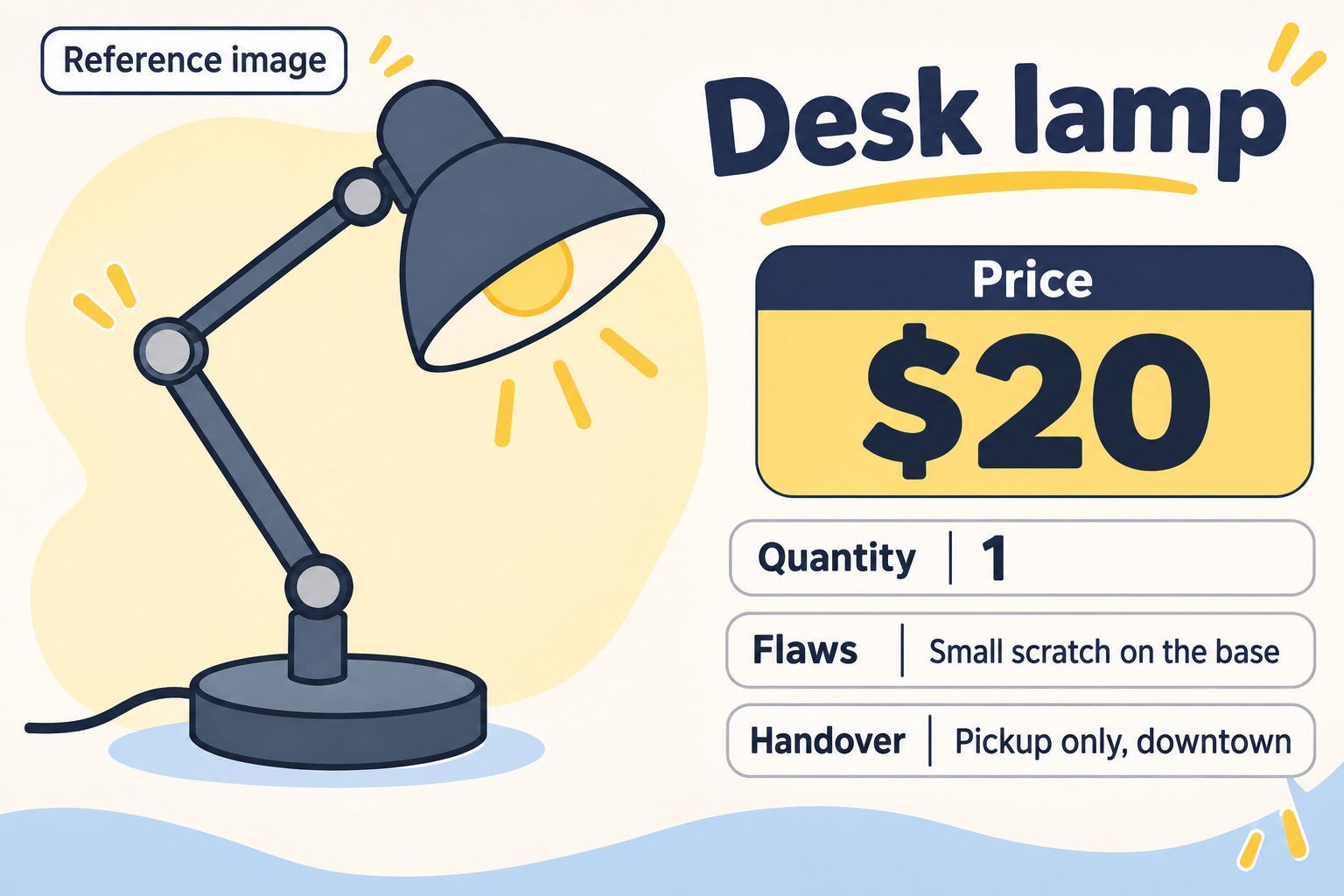
Reference image, clearly labeled
When the picture is not your actual item, the card says so with a “Reference image” label.
Why use it
A Used Item Card Maker That Sticks to the Facts
Generic image tools decorate. This secondhand listing card maker is built around what buyers need to trust.
No invented details
What you do not mention stays off the card. The card never adds “like new”, “free shipping” or “negotiable” on its own.
Prices that cannot mix up
Sale price and original price are labeled separately, and every item in a bundle keeps its own numbers.
Honest image labels
Actual photos, reference images and illustrations are each labeled, so nobody mistakes a drawing for your item.
Checked before delivery
Every card is checked for text, price meaning, image labels, file format and real pixel size, then fixed if needed.
Use cases
Where a Secondhand Listing Card Helps
Marketplace listings
Give your used item listing a clear cover image for resale apps and marketplace groups.
Moving-out sales
Put several items on one card with their own prices and pickup terms before you move.
Group chats and stories
Share one image in a chat or story that answers price, flaws and handover in a glance.
Frequently Asked Questions About the Secondhand Listing Card Maker
What is a secondhand listing card?
It is a single image that presents a used item for sale: its name, sale price, original price, condition, flaws, status and handover terms. You post it on social media, resale apps or group chats.
Will the tool make up details I did not provide?
No. Anything you do not mention is left off the card. The tool is instructed never to add condition claims, shipping offers or negotiation terms on its own, and each card is checked for such claims after it is generated.
What happens if I have no photo of the item?
The card uses an illustration of the item category and labels it as an illustration, not an actual photo. An illustration is never evidence of how your item really looks, so add real photos to your post when you can.
How are the cards checked?
After generation the tool reads the real file format and pixel size from the image data, and a vision model compares the text, prices and image labels with your facts. If something is wrong the card is regenerated once and checked again. Anything still unresolved is shown to you.
Does the tool publish the card for me?
No. You get an image file to download. Nothing is posted to any platform, so you decide where and when to share it.
Can't find the answer you need? Contact our Customer Support Team